
Reads every page.
Cites every fact.
Case-File Fact Extraction turns a folder of case documents into a reviewed, source-cited fact record, plus the work product built on top of it. Point it at a matter, and it reads every file, pulls out the facts with verbatim citations back to the source page, and hands them to your attorneys for approval. Nothing counts until you say it does.
Built on SaveYa Ops: every action logged, every matter tenant-isolated, approval gates everywhere they belong.
What it is
Ten thousand pages of discovery. One fact record you can stand behind.
Depositions, medical records, email threads, bodycam logs, tax returns. The facts that win a case are buried in files nobody has time to re-read. This app reads all of them. Every fact it extracts carries a verbatim quote and a citation back to the source document (for PDFs, the page), so any sentence in your work product can be walked back to the page it came from. Your attorneys review. The app remembers. It is legal document review that actually finishes the file, one piece of the wider AI automation we build for law firms. The same source-cited, audit-logged discipline carries into the compliance-gated work we build for wealth managers.
How it works
From case folder to demand letter.
01
Scan & extract
Point it at a Microsoft 365 folder or a Clio matter. It reads every file, with OCR for scans and visual analysis for exhibits, then extracts source-cited facts.
02
Build your claims
Accept AI-suggested claims or add your own. Each claim breaks into the legal elements you actually have to prove.
03
Work the proof matrix
Element by element, review only the facts that matter, supporting on one side and adverse on the other. Approve, reject, or reclassify each one.
04
Generate & share
Draft a demand narrative or arguments fact-set from approved facts only, then expose the reviewed record to Claude for drafting.
The proof matrix
Don't grind a fact list. Prove your claims.
Every claim opens into its elements, and every element shows exactly two columns: the facts that support it and the facts that cut against it. Your attorneys review the handful of facts that matter to each element instead of scrolling a list of thousands.
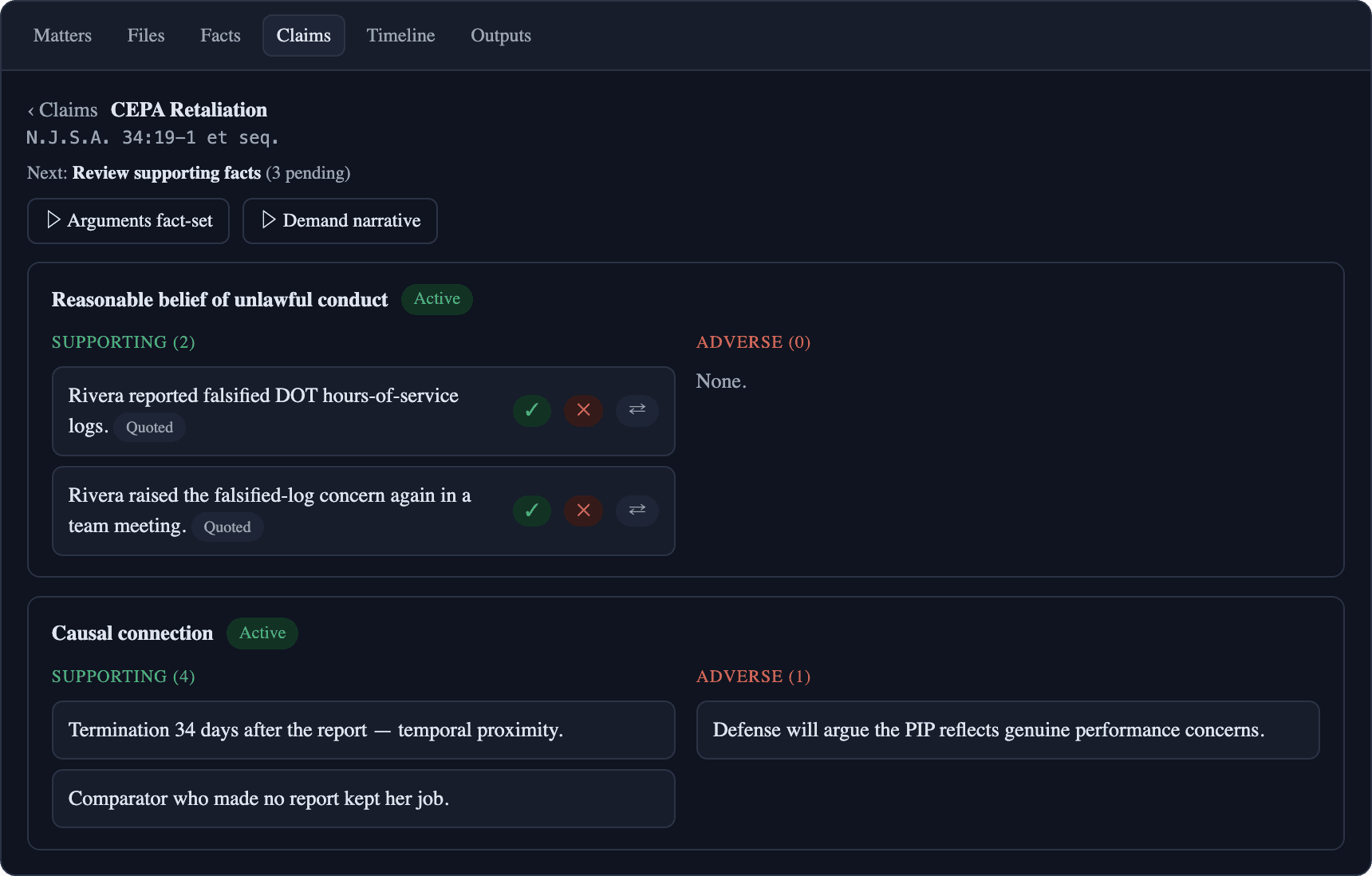
The CEPA Retaliation claim from the demo matter: supporting facts on the left, adverse on the right, one click to approve, reject, or reclassify.
Claims are the workflow
The AI suggests. The attorney owns.
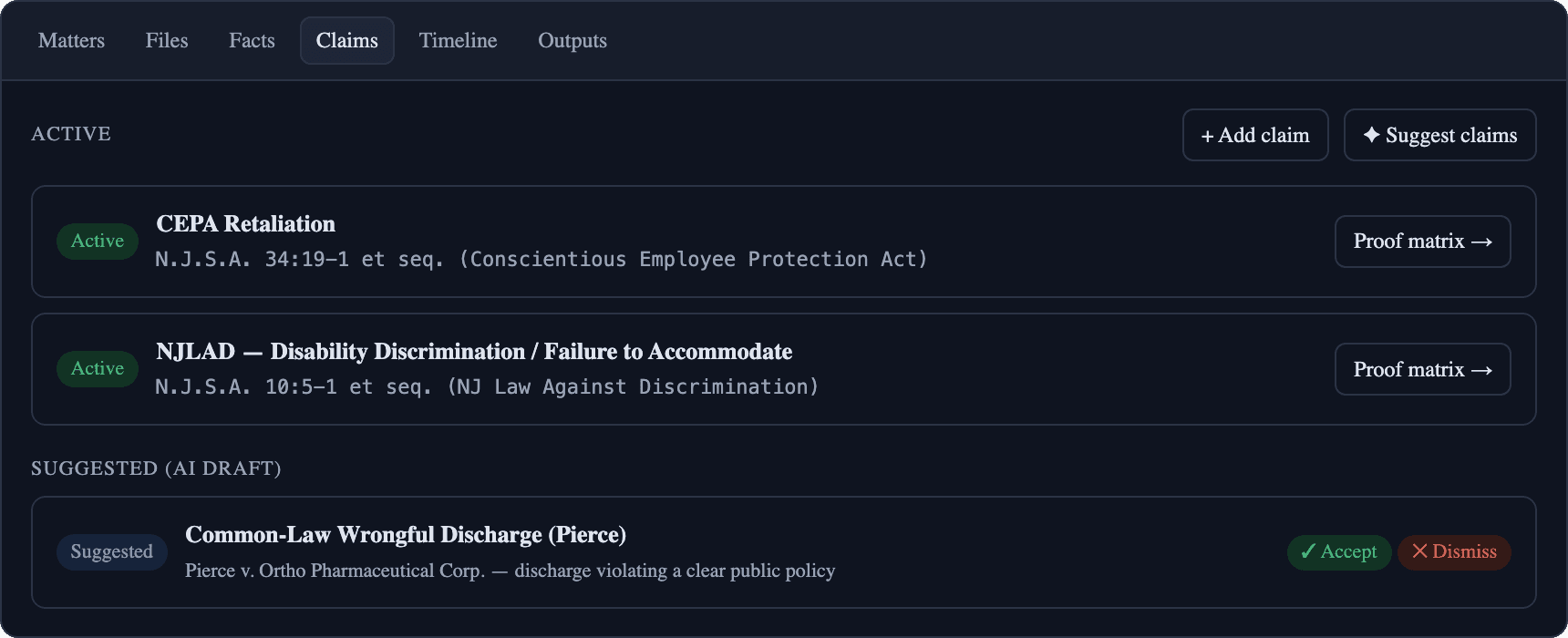
Claims can be AI-suggested from the record or added by your team, and every one is anchored to your firm's own templates as you save them, so the second CEPA case starts where the last one left off.
Each claim card shows where you are: what's supported, what's contested, what still has a gap, and what to review next.
The extraction
Every file read. Nothing skipped, nothing hidden.
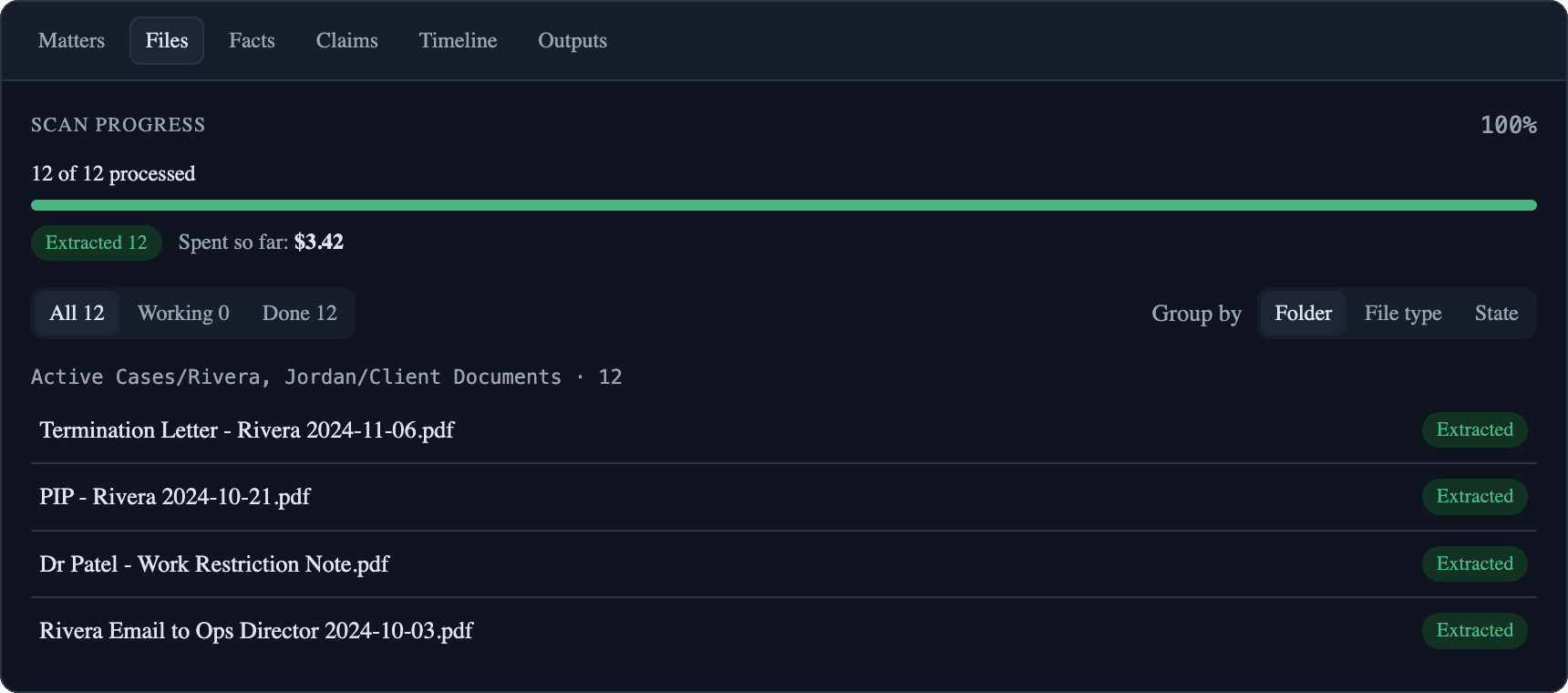
Scanned PDFs get OCR. Photos and exhibits get visual analysis. Files that fail get flagged for one-click retry, never silently dropped. You choose which files to run and see the real model cost as it accrues.
New documents later? Add files extracts just the new ones. No re-runs, no duplicate facts.
The fact record
Every fact, searchable. Every quote, verbatim.
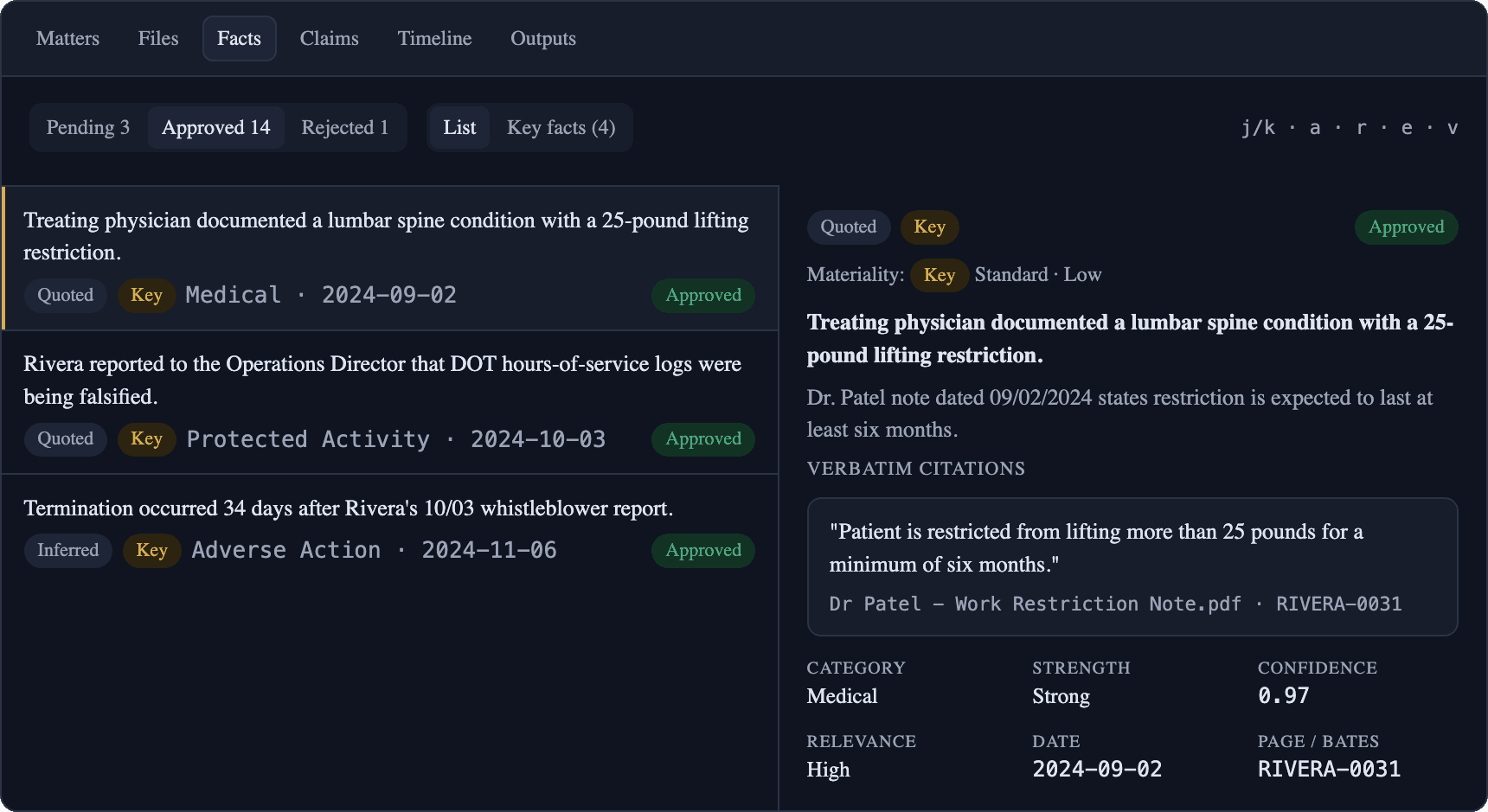
The Facts page holds the full repository, filterable by category, confidence, and review status, with keyboard-first review (j/k to move, a to approve) for the paralegal doing a bulk pass.
Open any fact and you get the whole chain: the summary, why it matters, the verbatim quote, and the source page it came from.
The timeline
See the story in order.
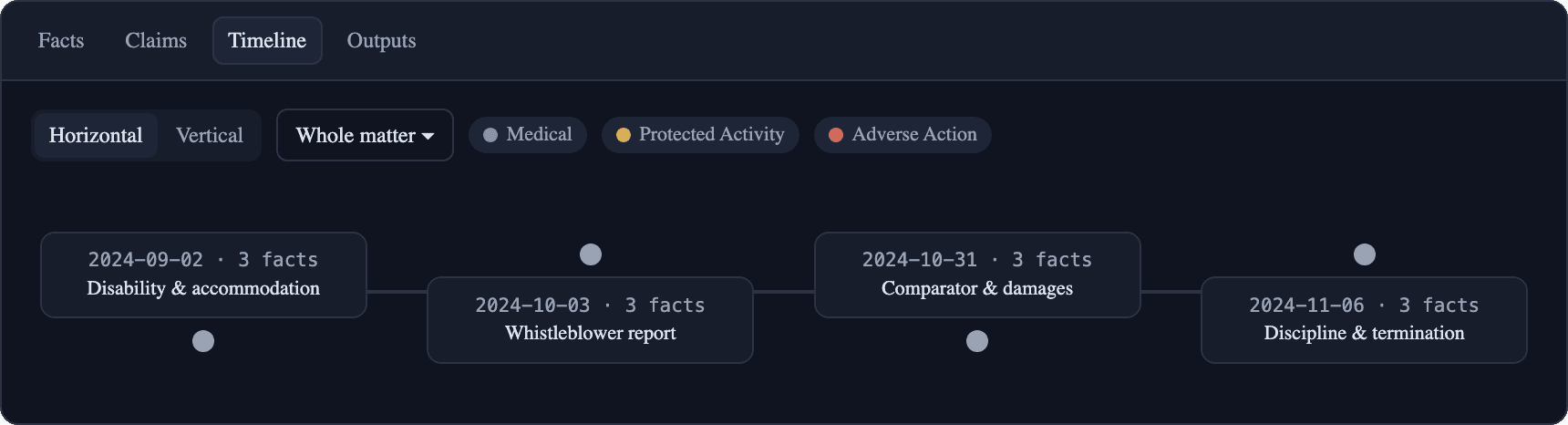
Approved facts assemble into a chronological narrative of the case: the report, the meeting, the termination, with every event still carrying its citation.
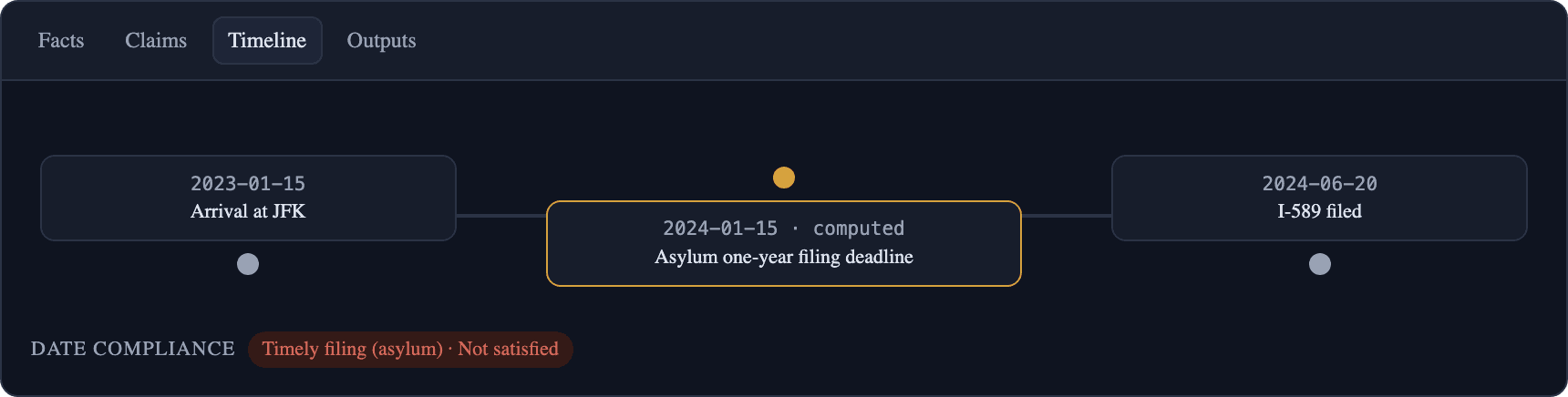
For immigration matters, the timeline also shows computed deadlines: filing windows and eligibility dates calculated from confirmed dates in the record.
The work product
Drafts built from approved facts only.
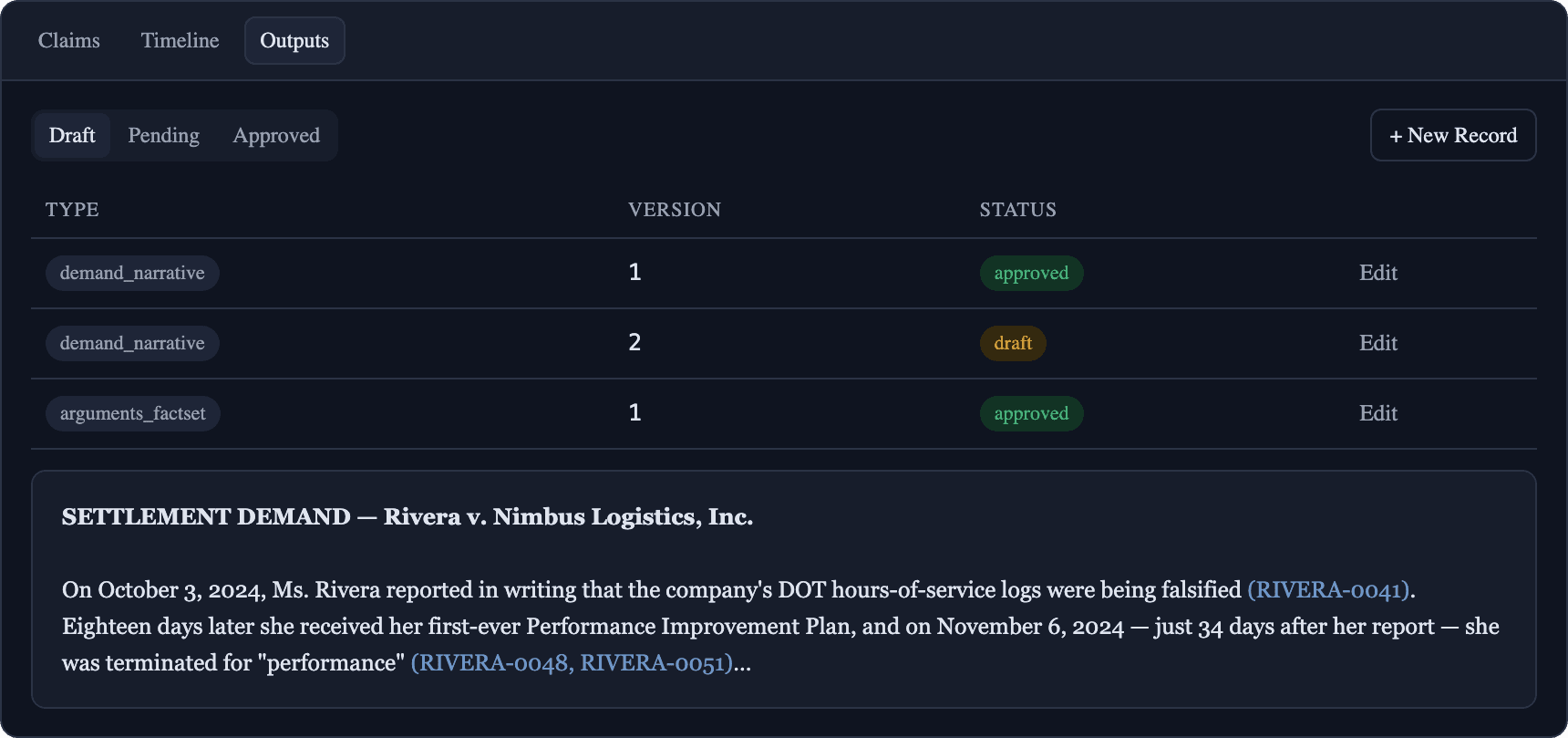
Generate a demand narrative or an arguments fact-set scoped to a claim. Outputs can only draw on facts your attorneys approved. A rejected fact cannot appear in a draft, structurally.
Drafts are versioned and gated: nothing leaves the app without a human marking it approved.
Practice modes
It speaks your practice area. Not a generic one.
Set the practice area and jurisdiction on a matter and the whole app adjusts: the vocabulary, the claim elements, the burden framing, and the tooling.
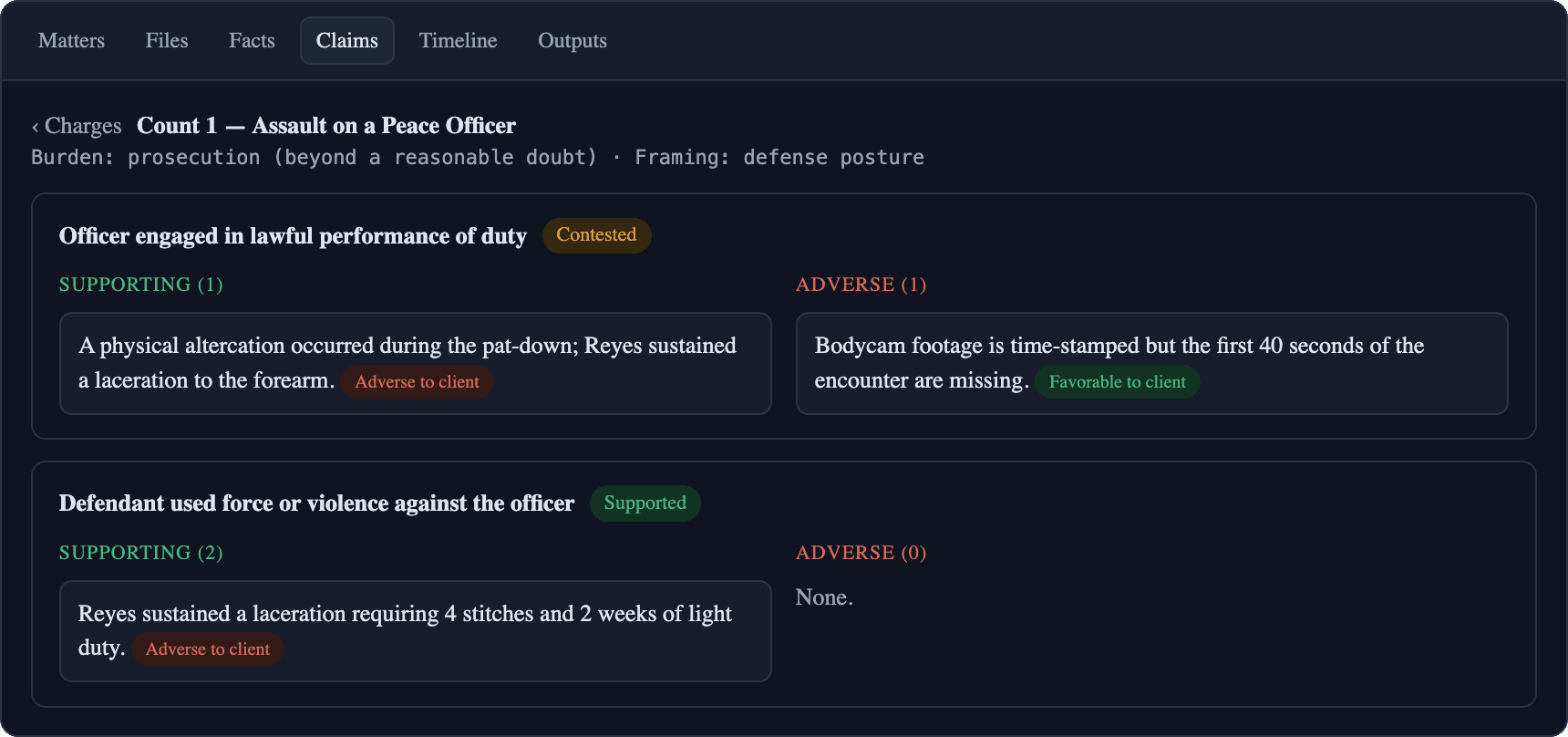
Criminal charges and defenses
Claims become charges and affirmative defenses. Every fact is read through your posture, defense or prosecution, and tagged Favorable or Adverse to client, with the burden displayed on every matrix.
Immigration benefits and eligibility
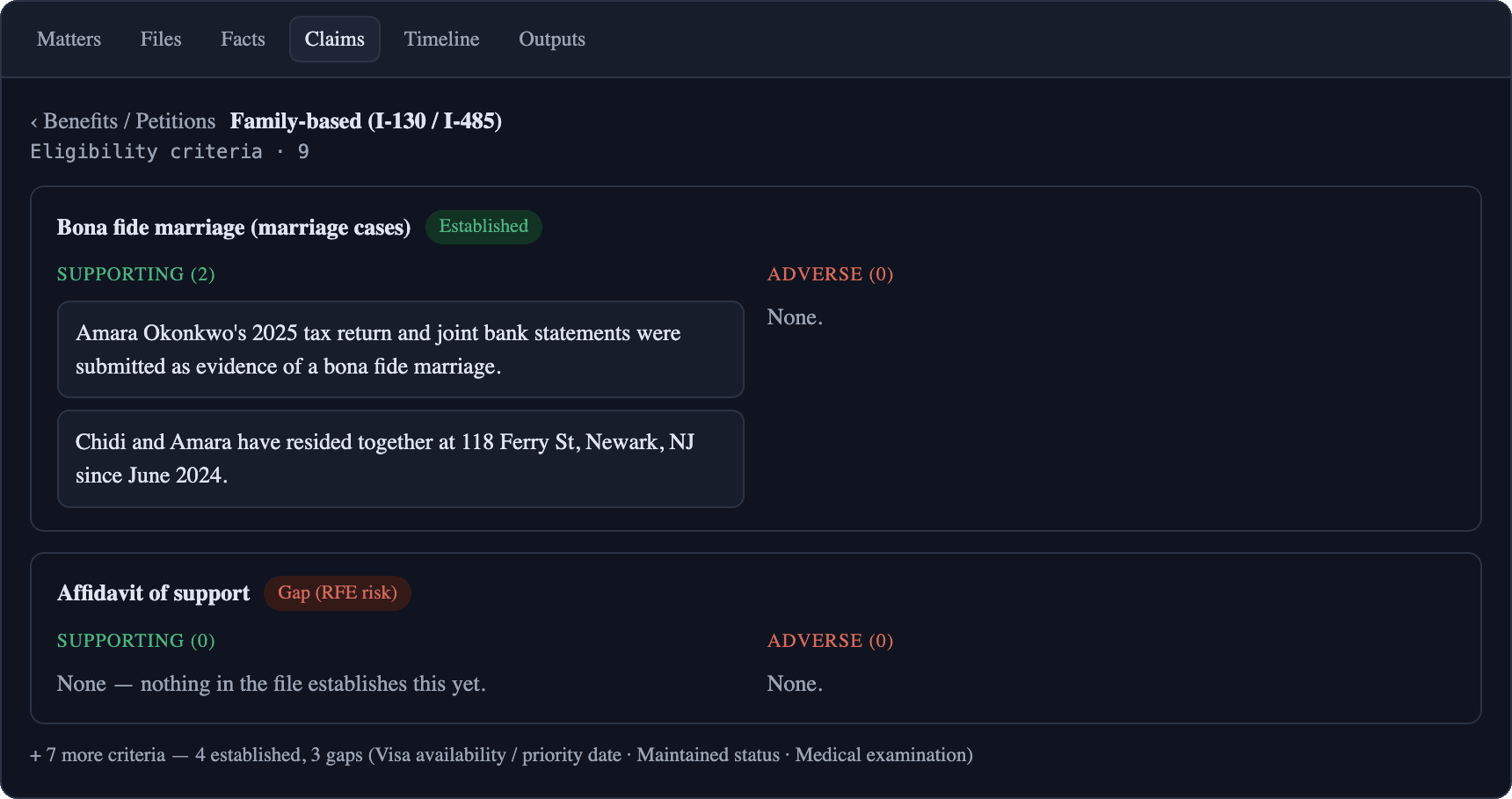
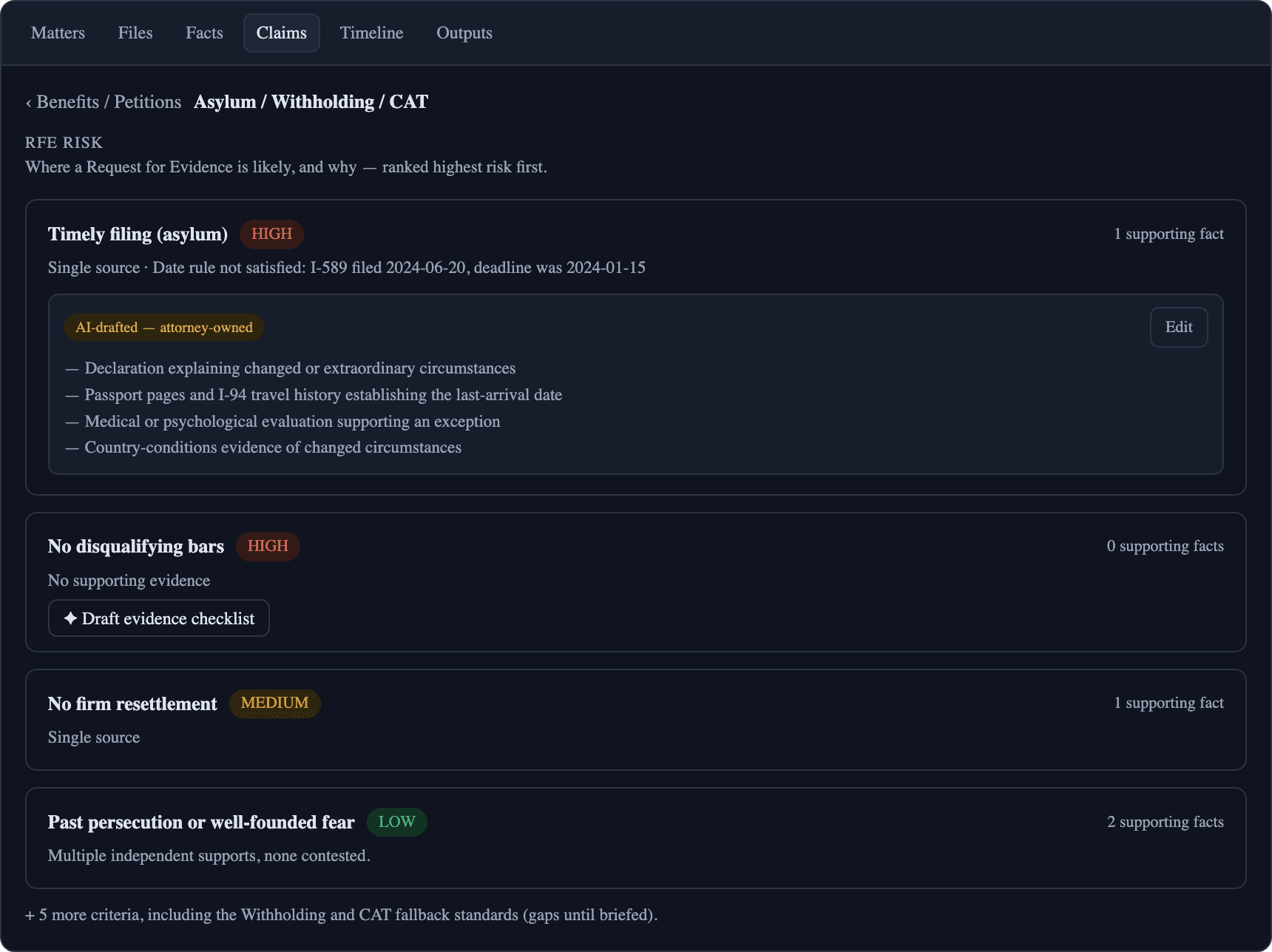
Pick the benefit from a curated library of I-130/I-485, N-400, asylum, and U/T/VAWA, and its eligibility criteria populate deterministically. Criteria read Established or Gap: a filing to-do list, not a courtroom weakness.
Date math that shows its work
Confirmed dates in the record, like entries, filings, and marriages, feed deterministic deadline calculations: the asylum one-year bar, naturalization eligibility, priority-date windows. Computed deadlines land on the timeline with their derivation.
RFE risk, before USCIS finds it
Every eligibility criterion carries a live Request-for-Evidence risk read: where the file is thin, why, and what evidence would close the gap, so you fix the weakness before you file instead of after the RFE arrives.
Why you can trust it
Built for work you sign your name to.
Every fact traces back
Every extracted fact keeps its verbatim quote and, for PDFs, the page it came from. Any sentence in a generated draft can be walked back to the source page.
Nothing is auto-final
Facts, claim links, and outputs all require explicit attorney approval before they count, appear in drafts, or leave the app. Your team makes the final call on all of it.
Claude sees only reviewed work
Through the platform’s secure connector, Claude can draft and analyze against the matter, but it is only ever served facts your attorneys approved.
Transparent cost, live
The actual model spend for the matter is on the Files tab as extraction runs, per file and per run. No surprise bill at the end of the month.
Grows with the file
New discovery arrives? Add files and it extracts just the new documents into the same fact record. New files only, no re-runs, no duplicates.
Platform-grade security
It inherits everything SaveYa Ops guarantees: append-only audit trail, tenant isolation, fail-secure permissions, and vaulted credentials. See how we handle security.
Start here
See it run on one of your own matters.
Bring a closed matter to the consult. We'll scope what extraction looks like on your real files, your practice areas, and your document sources, and you leave with a clear plan. It runs on the same SaveYa Ops platform behind our live law-firm intake system. Collecting on those matters too? See the Payment Plan Manager.
The consult: one hour with the team, not a salesperson. You leave with a real number. The $250 comes off your build if you move forward. You pick your time right after checkout.
Not ready to pay yet? Get a free 30-minute AI Map for your firm.
Every screen on this page is from the fictitious Rivera v. Nimbus Logistics, State v. Delgado, and In re Okonkwo demo matters. No real client data appears anywhere.